
Introduction to Meta Ads
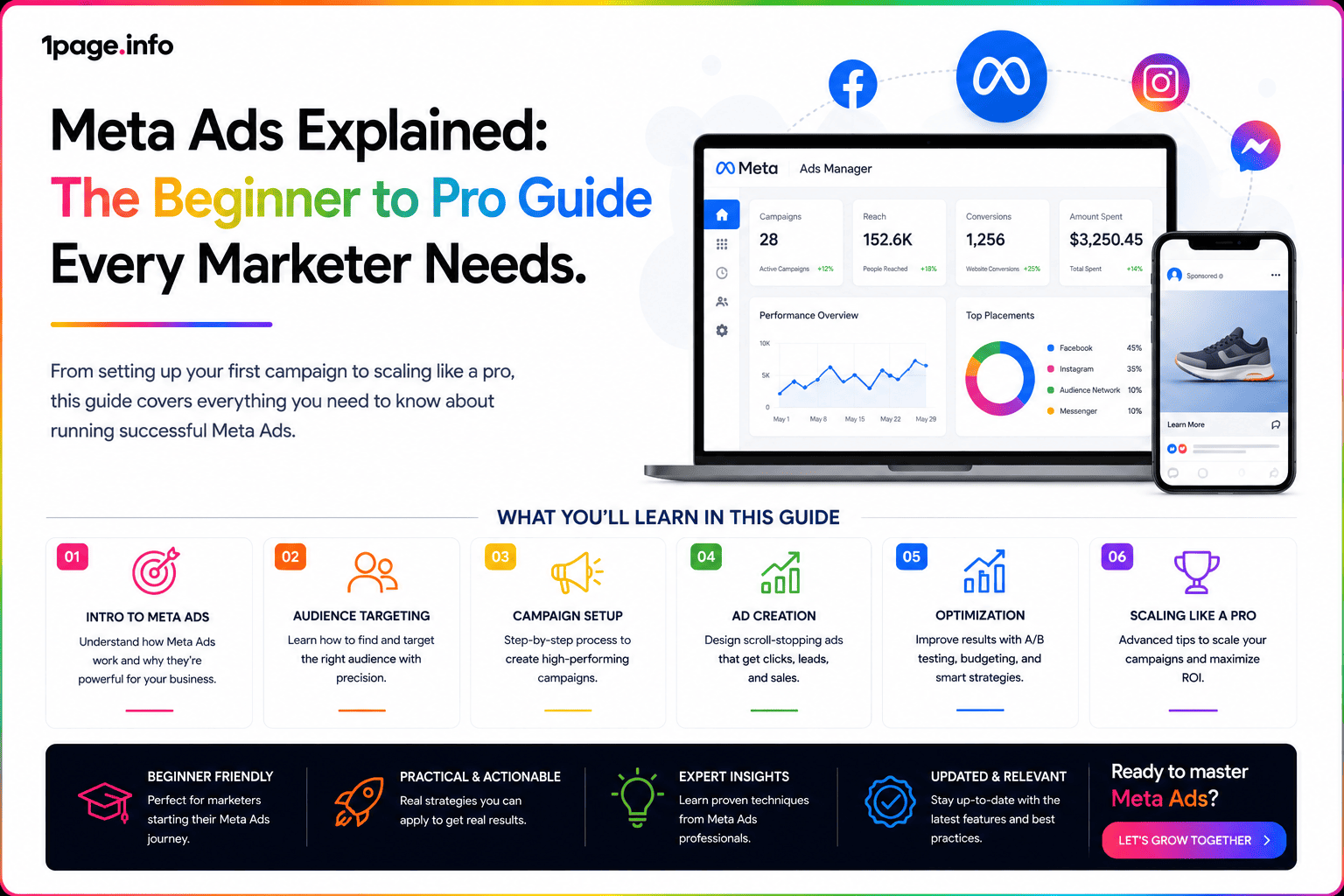
In today's fast-paced digital landscape, advertising on social media is crucial for brands aiming to expand their reach and grow their business. Meta Ads, formerly known as Facebook Ads, have become one of the most powerful tools for marketers to connect with targeted audiences, drive engagement, and boost sales. Whether you're a beginner just starting out or a seasoned pro looking to sharpen your campaigns, understanding the ins and outs of Meta Ads can set you apart in the competitive world of online marketing.
What Are Meta Ads?
Meta Ads refer to the advertising platform provided by Meta, the parent company of Facebook, Instagram, Messenger, and WhatsApp. This suite of advertising options allows businesses to create and deliver targeted ads across multiple social media platforms, leveraging detailed user data to ensure the right message reaches the right people at the right time.
Main Features of Meta Ads
- Extensive Targeting Options: Target users based on demographics, interests, behaviors, and more.
- Diverse Ad Formats: Choose from image, video, carousel, story, and collection ads.
- Robust Analytics: Track performance with real-time metrics and insights.
- Budget Flexibility: Set daily or lifetime budgets to control ad spend.
- Cross-Platform Delivery: Show ads across Facebook, Instagram, Messenger, and Audience Network.
Getting Started with Meta Ads
- Create a Meta Business Manager Account: Sign up at business.facebook.com to manage your pages, ad accounts, and assets.
- Set Up Your Ad Account: Add payment methods, manage permissions, and configure settings.
- Define Your Campaign Objective: Choose from objectives such as brand awareness, traffic, engagement, leads, app installs, and sales.
- Build Your Target Audience: Utilize Meta’s targeting features to reach your ideal customers.
- Select Ad Placements: Decide where your ads will appear—automatic placements or manual selection.
- Design Your Creative: Upload visuals, write engaging copy, and include clear calls-to-action (CTAs).
- Set Your Budget and Schedule: Specify how much you want to spend and when your ads should run.
- Launch and Monitor: Publish your campaign and use Meta’s analytics to optimize performance.
Pro Tips to Elevate Your Meta Ads Strategy
1. Leverage Lookalike Audiences
Once you’ve built up some data, use Lookalike Audiences to target new users similar to your best customers. This feature harnesses Meta’s algorithm to expand your reach to high-potential prospects.
2. A/B Test Your Ads
Experiment with different headlines, images, text, and CTAs. Run split tests to determine which combinations yield the best results, then allocate your budget to the top performers.
3. Optimize for Mobile
Most Meta users access these platforms via mobile devices. Ensure your visuals, videos, and landing pages are mobile-friendly for maximum engagement and conversions.
4. Use the Facebook Pixel
Install the Facebook Pixel on your website to track user actions, retarget visitors, and measure the effectiveness of your campaigns. This tool is essential for data-driven optimization.
5. Monitor and Refine Regularly
Successful Meta advertising requires ongoing analysis. Use Meta Ads Manager to review performance data, adjust targeting, tweak creatives, and scale what works.
Common Mistakes to Avoid
- Ignoring Analytics: Not leveraging data can waste your ad budget and limit campaign growth.
- Poor Audience Targeting: Broad or irrelevant targeting reduces engagement and increases costs.
- Using Low-Quality Creative: Uninspiring images or copy can cause users to scroll past your ad.
- Setting and Forgetting: Regular monitoring and adjustment are necessary for continuous improvement.
- Not Testing: Failing to A/B test means missed opportunities for optimization.
Frequently Asked Questions About Meta Ads
1. How much do Meta Ads cost?
The cost of Meta Ads varies depending on your industry, audience, objectives, and competition. You can set your own budget, and Meta uses an auction system to determine ad placement. Costs can range from a few cents to several dollars per click or impression.
2. What’s the difference between boosting a post and creating an ad campaign?
Boosting a post is a quick way to promote content to a wider audience, but it offers limited targeting and customization. Creating an ad campaign in Meta Ads Manager provides advanced targeting, ad formats, and optimization options for better results.
3. Can I run ads on Instagram through Meta Ads?
Yes, Meta Ads Manager allows you to create campaigns that run on both Facebook and Instagram, as well as other Meta platforms. You can select specific placements or let Meta choose automatically.
4. How do I track the performance of my ads?
Meta Ads Manager provides detailed analytics including impressions, clicks, conversions, cost per action, and more. You can also use the Facebook Pixel to track website actions and conversions.
5. What are the best practices for effective Meta Ads?
Start with clear objectives, define your target audience, use high-quality creative, test different variations, optimize for mobile, and consistently monitor and refine your campaigns based on data.
Conclusion
Meta Ads present unparalleled opportunities for marketers to reach, engage, and convert their ideal audience. By mastering the fundamentals and implementing pro-level strategies, you can drive measurable results for your business whether you’re just starting out or looking to take your campaigns to the next level. Stay curious, keep testing, and leverage Meta’s robust tools to maximize your advertising success.